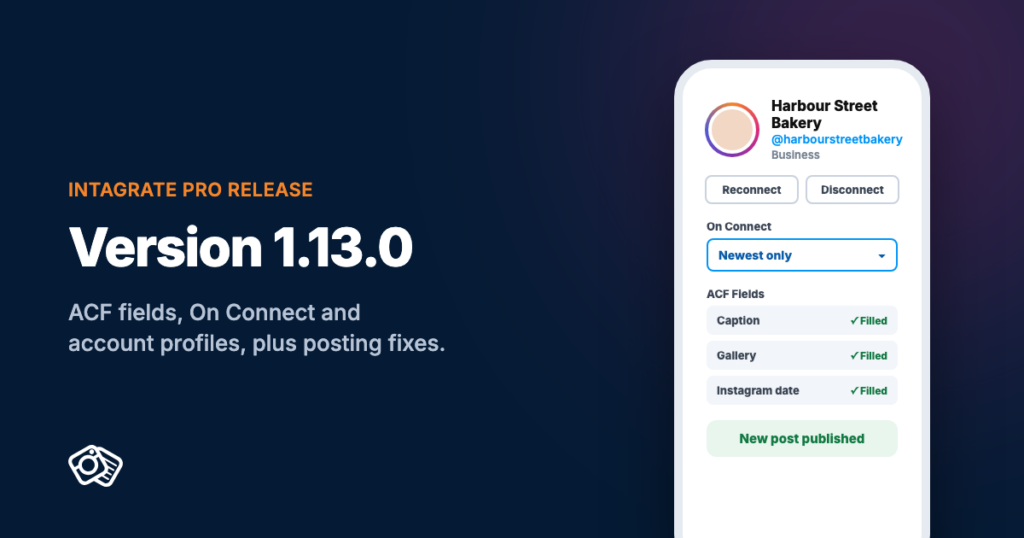
Intagrate Pro 1.13.0 is out. It fills Advanced Custom Fields from your Instagram posts, lets you choose what a newly connected account imports, and fixes several things that could stop or repeat posting. Update from the Plugins screen in WordPress.
New
- Advanced Custom Fields: the new ACF Fields box on each account fills your post type’s ACF fields from Instagram: text from template tags (such as the caption), the image, a gallery of a carousel’s images, hashtags as terms and the date, plus a Repeater row for every image and video in a carousel. See ACF Fields
- On Connect: when you connect an account, choose what happens to its recent Instagram media: queue it all (All recent), queue only the newest post (Newest only) or queue nothing (Nothing). Media that isn’t queued is set to Ignore, so it isn’t posted unless you queue it by hand
- Account profile: the Instagram Settings box shows the connected account’s profile picture, name, @username and account type, with Reconnect and Disconnect buttons and how long the connection is valid for. The accounts list shows the picture too
- Developer hooks around importing and posting media, for changing or skipping media before it’s posted and acting on the posts Intagrate creates. See Developer Hooks
Improvements
- Emoji are kept in post titles and content. They’re only removed from media file names, post slugs and image alt text
- Carousels and the Media Filter: with Only Images or Only Videos, a carousel is now posted if it contains that type, with just those items, instead of being ignored
- Intagrate Lite: if Intagrate Lite is active alongside Intagrate Pro, a notice asks you to deactivate it, as Lite can’t read its Instagram login while both are active
- Google Maps: Intagrate no longer ships a shared Google Maps API key. Maps only appear in posts imported before March 2020, when Instagram still gave media a location. To keep showing them, add your own key in Settings, Global Settings, Google Maps API Key. Without one, those posts show a link to the place on Google Maps
- The account and settings screens no longer load Google Maps
Fixes
- Media left at Posting by an interrupted run (a timeout or a large video, for example) is retried instead of staying stuck
- An account could stay locked after an interrupted run, and two runs at the same time could post the same media twice
- A failed media download stopped the posting run on PHP 8
- Backslashes in account settings were lost each time the account was saved
- The expired connection notice could show the wrong date near midnight
New to Intagrate Pro? See pricing.

Posted by Iain
Follow me on Twitter
Share this article:

